

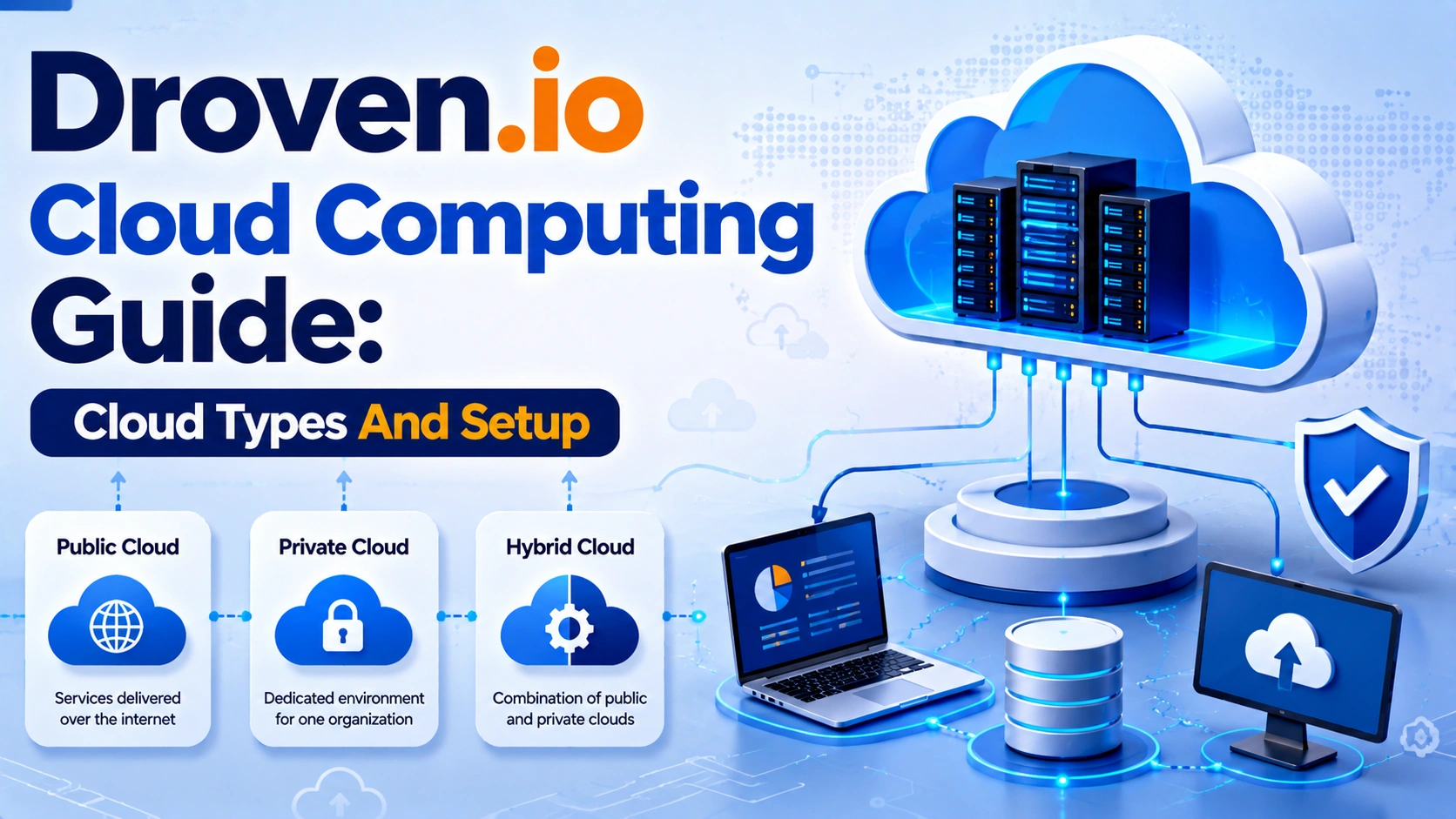
Droven.io Cloud Computing Guide is designed to help readers understand this rapidly evolving technology without getting lost in technical jargon. Whether you’re a startup founder evaluating cloud platforms, an IT professional planning infrastructure, or a student exploring modern computing, understanding the fundamentals of cloud computing is now an essential skill. From on-demand computing resources to global scalability and pay-as-you-go pricing, the cloud has become the foundation of today’s digital economy.
Yet despite its popularity, cloud computing remains widely misunderstood. Many organizations struggle to choose between public, private, hybrid, and multi-cloud environments, while others migrate to the cloud without fully understanding service models, security responsibilities, or long-term costs. As cloud providers continue introducing new technologies—including AI-powered infrastructure, edge computing, serverless architectures, and automated operations—making informed decisions has become more important than ever. This guide explains not only what cloud computing is, but also why different approaches exist, when each should be used, and how professionals evaluate them.
In this comprehensive guide, you’ll discover how cloud computing works, compare deployment and service models, learn how to build a secure cloud environment from scratch, understand common migration mistakes, explore cost optimization strategies, and examine the biggest cloud trends shaping 2026. Rather than focusing on theory alone, this article provides practical examples, decision frameworks, expert recommendations, and real-world best practices to help you confidently plan, deploy, and manage cloud infrastructure regardless of your experience level.
What Is Cloud Computing?
At its core, cloud computing is the delivery of computing resources—including servers, storage, databases, networking, software, analytics, and artificial intelligence—over the internet instead of relying on local hardware or on-premises data centers.
Instead of purchasing physical servers, installing operating systems, and maintaining infrastructure yourself, you rent computing resources from a cloud provider whenever you need them.
Common cloud resources include:
- Virtual machines
- Object and block storage
- Databases
- Networking services
- Artificial intelligence tools
- Backup solutions
- Monitoring systems
- Identity management
- Security services
- Container platforms
This approach allows organizations to scale resources up or down based on demand while paying only for what they use.
Key Insight: Cloud computing is not a single product—it’s a collection of on-demand IT services delivered through highly distributed data centers.
How Cloud Computing Works
Understanding the underlying workflow makes cloud computing much easier to grasp.
A typical cloud environment operates through several interconnected layers:
- A user requests computing resources.
- The cloud provider allocates virtual infrastructure.
- Resources are provisioned automatically.
- Applications run within isolated environments.
- Monitoring systems track health and performance.
- Usage is measured for billing.
- Resources can be expanded or reduced instantly.
Behind the scenes, technologies such as virtualization, containers, software-defined networking, and distributed storage systems make this elasticity possible.
Traditional Computing vs Cloud Computing
Many newcomers wonder why organizations increasingly prefer cloud platforms over traditional infrastructure.
The answer lies in flexibility, scalability, and operational efficiency.
| Feature | Traditional Infrastructure | Cloud Computing |
| Initial Cost | High capital investment | Pay-as-you-go |
| Hardware Ownership | Customer | Provider |
| Deployment Speed | Days or weeks | Minutes |
| Scalability | Limited | Nearly unlimited |
| Maintenance | Internal IT team | Shared with provider |
| Disaster Recovery | Expensive | Built-in options |
| Global Availability | Limited | Worldwide |
Traditional infrastructure still has value for specialized workloads, but cloud computing dramatically reduces the operational burden for most organizations.
Why Businesses Are Moving to the Cloud
Organizations adopt cloud technologies for far more than cost savings.
Major benefits include:
Faster Innovation
Developers can launch environments within minutes instead of waiting weeks for hardware procurement.
Better Scalability
Applications automatically handle seasonal demand without manual intervention.
Improved Reliability
Modern cloud providers distribute workloads across multiple availability zones to reduce downtime.
Global Reach
Applications can be deployed closer to users worldwide, improving performance.
Operational Efficiency
Automation reduces repetitive administrative work.
Continuous Innovation
Cloud providers regularly introduce new AI, analytics, machine learning, and security capabilities.
Understanding the Four Cloud Deployment Models
Not every organization has identical infrastructure requirements.
Choosing the right deployment model depends on security needs, compliance requirements, budget, and operational goals.
Public Cloud
Public cloud infrastructure is shared among multiple customers while remaining logically isolated.
Popular use cases include:
- Web applications
- SaaS products
- Development environments
- Startups
- Analytics workloads
Advantages
- Lowest upfront cost
- Extremely scalable
- Fast deployment
- Global infrastructure
Challenges
- Shared environment
- Less infrastructure customization
- Possible compliance limitations
Private Cloud
A private cloud dedicates infrastructure to one organization.
It may be hosted internally or by a third-party provider.
Best suited for:
- Government agencies
- Financial institutions
- Healthcare organizations
- Highly regulated industries
Benefits include:
- Greater control
- Enhanced security customization
- Easier compliance management
- Predictable performance
Hybrid Cloud
Hybrid cloud combines public cloud with private infrastructure.
Sensitive workloads remain private while scalable workloads move to the public cloud.
Common examples include:
- Disaster recovery
- Seasonal workload expansion
- Backup environments
- Gradual cloud migration
Hybrid environments offer flexibility but require careful integration and governance.
Multi-Cloud
Multi-cloud involves using services from multiple cloud providers simultaneously.
For example:
- One provider for compute
- Another for databases
- Another for AI services
Organizations choose multi-cloud to:
- Reduce vendor lock-in
- Improve redundancy
- Access specialized services
- Meet regional compliance requirements
However, managing multiple platforms introduces additional complexity and requires consistent security and monitoring practices.
How to Set Up a Cloud Environment: A Practical Step-by-Step Guide
Learning the concepts behind cloud computing is important, but knowing how to build a secure and reliable cloud environment is where theory becomes practical. Whether you’re launching a personal project, deploying a business application, or migrating an existing system, a structured setup process helps avoid unnecessary costs, security risks, and future scalability problems.
The exact implementation differs among providers such as Amazon Web Services (AWS), Microsoft Azure, Google Cloud Platform (GCP), Oracle Cloud, and others, but the overall process remains remarkably similar. Instead of focusing on provider-specific clicks and menus, this guide explains the universal principles that apply to almost every cloud platform.
Expert Tip: Treat your first cloud deployment as building a foundation. Decisions about security, networking, and identity made early are much easier than fixing them after applications are already running.
Define Your Goals Before Choosing Services
One of the biggest beginner mistakes is creating cloud resources without knowing what problem they’re solving.
Start by asking questions such as:
- What application or workload will run?
- How many users are expected?
- What level of availability is required?
- Which compliance requirements apply?
- What budget is available each month?
- How quickly might the project grow?
For example:
| Project | Cloud Needs |
| Personal portfolio website | Small virtual server or static hosting |
| E-commerce store | Compute, database, CDN, backups, monitoring |
| Mobile application | APIs, databases, authentication, storage |
| Machine learning project | GPU instances and scalable storage |
| Enterprise ERP | Hybrid infrastructure with high availability |
Clearly identifying requirements prevents unnecessary spending and simplifies architecture decisions.
Choose the Right Cloud Provider
Different providers excel in different areas. Instead of selecting one based solely on popularity, compare them according to your workload.
Consider factors like:
- Global data center availability
- Pricing model
- Managed services
- Security certifications
- Technical documentation
- Community support
- Migration tools
- Customer support plans
A startup building web applications may prioritize ease of deployment, while a financial institution may focus on compliance and regional data residency.
Create Your Cloud Account Securely
After selecting a provider, create an organizational account rather than relying on a single personal login.
During account setup:
- Enable Multi-Factor Authentication (MFA)
- Use a strong password
- Configure recovery methods
- Verify billing information
- Enable billing alerts
- Separate production and development accounts where possible
Many organizations also create separate accounts for testing, staging, and production environments to reduce operational risks.
Configure Identity and Access Management (IAM)
Identity and Access Management (IAM) is the foundation of cloud security.
Rather than giving every user administrator privileges, assign permissions based on job responsibilities.
A secure IAM strategy includes:
- Individual user accounts instead of shared credentials
- Role-Based Access Control (RBAC)
- Least-privilege permissions
- Temporary credentials for applications
- Regular access reviews
- MFA for privileged accounts
For example:
| Role | Permissions |
| Developer | Deploy applications, view logs |
| Database Administrator | Manage databases only |
| Security Administrator | Configure IAM and security policies |
| Finance Team | Billing and cost reports |
| Read-Only Auditor | View resources without making changes |
Proper IAM configuration dramatically reduces the likelihood of accidental or malicious changes.
Design the Network Architecture
Networking determines how cloud resources communicate securely.
Most cloud providers use a virtual private network concept, allowing organizations to isolate resources from the public internet.
A typical architecture includes:
- Virtual Private Cloud (VPC)
- Public subnet
- Private subnet
- Internet gateway
- NAT gateway
- Route tables
- Security groups
- Network access control lists (ACLs)
Public-facing services like web servers typically reside in public subnets, while databases remain isolated within private networks.
Good network planning improves both performance and security.
Deploy Compute Resources
Once networking is ready, deploy the computing resources that will run your workloads.
Common compute options include:
- Virtual machines
- Containers
- Kubernetes clusters
- Serverless functions
- Managed application platforms
Choose based on your application’s complexity.
For example:
- Small websites often run well on a single virtual machine.
- Microservices benefit from containers and orchestration platforms.
- Event-driven workloads are ideal for serverless computing.
Selecting the right compute model balances performance, scalability, and operational effort.
Configure Storage Solutions
Different workloads require different storage types.
Common cloud storage categories include:
| Storage Type | Best For |
| Object Storage | Images, videos, backups, documents |
| Block Storage | Operating systems and databases |
| File Storage | Shared folders and collaborative applications |
| Archive Storage | Long-term, low-cost backups |
When selecting storage, consider:
- Durability
- Performance
- Scalability
- Backup frequency
- Geographic replication
- Lifecycle policies
Using the wrong storage type can increase costs and reduce application performance.
Set Up Databases
Most modern applications depend on databases.
Cloud platforms provide fully managed database services that reduce maintenance overhead.
Popular database categories include:
- Relational databases
- NoSQL databases
- In-memory databases
- Graph databases
- Time-series databases
Managed services automatically handle tasks such as:
- Software updates
- High availability
- Automatic backups
- Replication
- Monitoring
- Scaling
This allows development teams to focus more on applications than infrastructure.
Implement Monitoring and Logging
Cloud infrastructure should never operate without visibility.
Monitoring tools track:
- CPU utilization
- Memory usage
- Network traffic
- Response time
- Error rates
- Storage consumption
- Application performance
Logging services record important events such as:
- User logins
- API calls
- Configuration changes
- Security alerts
- System failures
Combining monitoring with automated alerts enables teams to respond quickly before small issues become major outages.
Configure Backup and Disaster Recovery
Even highly available cloud systems require backups.
Hardware failures, accidental deletions, ransomware, and configuration mistakes can all result in data loss.
A reliable backup strategy should include:
- Automated daily backups
- Cross-region replication
- Regular recovery testing
- Version history
- Retention policies
- Disaster recovery documentation
Best Practice: A backup that has never been tested cannot be assumed to work. Schedule routine restoration tests to verify recovery procedures.
Apply Security Controls Before Going Live
Security should be built into the environment from the beginning rather than added after deployment.
Before launching production workloads:
- Enable encryption for data at rest and in transit.
- Configure firewall rules and security groups.
- Patch operating systems and software.
- Disable unused services and ports.
- Scan for vulnerabilities.
- Rotate credentials regularly.
- Enable audit logging.
- Apply least-privilege IAM policies.
These preventive measures significantly reduce the attack surface and help maintain compliance with industry standards.
Test, Optimize, and Document Your Environment
Before declaring the environment production-ready:
- Verify application functionality.
- Test backup restoration.
- Validate failover procedures.
- Review IAM permissions.
- Measure performance under expected workloads.
- Check monitoring and alerting systems.
- Audit security configurations.
- Document the entire architecture.
Clear documentation simplifies troubleshooting, onboarding, compliance audits, and future upgrades.
Cloud Security Best Practices Every Organization Should Follow
Migrating to the cloud doesn’t automatically make an organization secure. Major cloud providers invest billions of dollars in securing their infrastructure, but customers remain responsible for protecting their own applications, identities, data, and configurations. This shared responsibility model means that even a well-designed cloud platform can become vulnerable if security best practices are ignored.
Whether you’re managing a personal project or a large enterprise environment, the following practices form the foundation of a secure cloud strategy.
Understand the Shared Responsibility Model
One of the most misunderstood aspects of cloud computing is who is responsible for security.
In general:
- The cloud provider secures the physical data centers, networking infrastructure, and core platform services.
- The customer secures identities, applications, operating systems (where applicable), configurations, and data.
Understanding this division helps organizations focus their security efforts where they matter most.
Enforce Strong Identity and Access Controls
Compromised credentials remain one of the leading causes of cloud security incidents.
To reduce this risk:
- Enable Multi-Factor Authentication (MFA) for all users, especially administrators.
- Use Role-Based Access Control (RBAC) to assign permissions based on job responsibilities.
- Follow the principle of least privilege—grant only the access users genuinely need.
- Remove unused accounts promptly and review permissions regularly.
Strong identity management limits the impact of stolen credentials and insider threats.
Encrypt Data at Rest and in Transit
Encryption protects sensitive information from unauthorized access.
Best practices include:
- Encrypt stored files, databases, and backups.
- Use HTTPS and TLS for all data transmitted over networks.
- Manage encryption keys securely through dedicated key management services.
- Rotate keys periodically according to organizational policies.
Encryption adds a critical layer of protection, even if storage media or network traffic is compromised.
Keep Systems Updated and Hardened
Unpatched systems and unnecessary services create opportunities for attackers.
Regularly:
- Apply operating system and application updates.
- Disable unused ports and services.
- Remove default accounts and credentials.
- Use secure configuration baselines.
- Scan for vulnerabilities before deploying new workloads.
A well-maintained environment is far less susceptible to common exploits.
Monitor, Log, and Respond Continuously
Security isn’t a one-time task. Continuous monitoring helps detect suspicious behavior before it escalates.
Implement:
- Centralized logging
- Real-time security alerts
- Intrusion detection where appropriate
- Regular log reviews
- Automated responses for critical events
Monitoring provides the visibility needed to investigate incidents and maintain compliance.
Protect Data with Backups and Recovery Planning
Even with strong preventive measures, incidents can occur.
Maintain resilience by:
- Scheduling automated backups.
- Storing backup copies in separate locations or regions.
- Testing restoration procedures regularly.
- Defining recovery objectives for critical systems.
An effective backup strategy minimizes downtime and supports business continuity.
Review Configurations Regularly
Misconfigured cloud resources are a frequent cause of security breaches.
Conduct periodic audits to ensure:
- Storage buckets aren’t publicly exposed unless intended.
- Firewall rules follow the principle of least access.
- IAM permissions remain appropriate.
- Unused resources are removed.
- Compliance requirements continue to be met.
Regular reviews help identify risks before they become vulnerabilities.
Cloud Cost Optimization Strategies
Cloud computing offers tremendous flexibility, but its pay-as-you-go pricing model can become expensive if resources aren’t managed carefully. Many organizations discover that their cloud bills grow faster than expected—not because cloud services are inherently costly, but because unused resources, poor architecture, and inefficient configurations silently increase monthly expenses.
Cost optimization isn’t simply about spending less. It’s about ensuring every dollar spent delivers measurable business value while maintaining performance, reliability, and security.
Understand Where Your Money Goes
Before reducing costs, you need visibility into how your cloud budget is being used.
Most cloud expenses fall into these categories:
- Compute resources
- Storage services
- Databases
- Networking and data transfer
- Managed services
- Monitoring and logging
- Backup and disaster recovery
- Software licensing
Many providers include detailed billing dashboards, tagging systems, and cost analysis tools that help identify which departments, projects, or applications generate the highest expenses.
Best Practice: Review cloud spending weekly rather than waiting for the monthly invoice. Early visibility makes unexpected costs much easier to control.
Right-Size Your Resources
One of the most common sources of waste is oversized infrastructure.
Organizations frequently deploy virtual machines with far more CPU, memory, or storage than workloads actually require.
Instead:
- Monitor utilization regularly.
- Downgrade underused instances.
- Scale resources based on demand.
- Remove idle development environments.
For example, an application consistently using only 15% of its allocated CPU probably doesn’t need such a large instance.
Rightsizing improves efficiency without sacrificing performance.
Use Auto Scaling Whenever Possible
Traffic rarely remains constant throughout the day.
Instead of paying for peak capacity 24/7, configure auto scaling to adjust resources automatically based on demand.
Benefits include:
- Lower infrastructure costs
- Better application performance
- Reduced manual intervention
- Improved customer experience
Retail websites, streaming platforms, and SaaS applications especially benefit from dynamic scaling during seasonal spikes.
Shut Down Idle Resources
Development and testing environments often continue running even when nobody is using them.
Common examples include:
- Unused virtual machines
- Test databases
- Temporary Kubernetes clusters
- Forgotten storage volumes
- Idle load balancers
Automated scheduling can stop these resources outside business hours and restart them when needed.
Many organizations save thousands of dollars annually through simple automation.
Choose the Right Pricing Model
Cloud providers typically offer multiple purchasing options.
| Pricing Model | Best For |
| On-Demand | Short-term workloads and testing |
| Reserved Instances | Predictable long-term usage |
| Savings Plans | Flexible production workloads |
| Spot Instances | Fault-tolerant batch processing |
Selecting the appropriate pricing model can significantly reduce infrastructure costs without changing your applications.
Optimize Storage Costs
Storage often becomes a hidden expense as data accumulates over time.
Reduce costs by:
- Moving infrequently accessed data to archive tiers.
- Deleting duplicate files.
- Compressing large datasets.
- Applying lifecycle management policies.
- Removing obsolete backups.
Automated lifecycle rules can transition older files to lower-cost storage classes without manual intervention.
Monitor Data Transfer Charges
Many organizations focus only on compute costs while overlooking network charges.
Data transfer fees can increase when:
- Moving information between cloud regions.
- Sending large volumes to the public internet.
- Synchronizing multiple environments.
Designing applications with efficient networking patterns helps reduce unnecessary transfer costs.
Tag Resources for Better Cost Visibility
Resource tagging allows organizations to categorize spending by:
- Department
- Team
- Application
- Environment
- Customer
- Project
Example tags:
- Production
- Development
- Marketing
- Finance
- Internal
- Customer Portal
Consistent tagging simplifies budgeting, auditing, and chargeback reporting.
Continuously Review Usage
Cloud optimization isn’t a one-time exercise.
Schedule regular reviews to identify:
- Unused services
- Overprovisioned resources
- Security-related waste
- Backup duplication
- Inefficient architectures
Organizations that continuously optimize typically achieve far greater long-term savings than those relying on occasional audits.
Cloud Computing Trends in 2026
Cloud computing continues evolving rapidly. Organizations are moving beyond simple infrastructure hosting toward intelligent, automated, and highly distributed cloud ecosystems.
Understanding these trends helps businesses make technology investments that remain valuable over the coming years.
AI-Native Cloud Platforms
Artificial intelligence is becoming integrated into nearly every cloud service.
Providers now offer:
- AI-assisted software development
- Intelligent monitoring
- Predictive scaling
- Automated security analysis
- Natural language infrastructure management
Instead of manually configuring complex environments, administrators increasingly rely on AI-powered recommendations to improve efficiency and reliability.
Edge Computing Expansion
Not every application benefits from sending data to distant cloud data centers.
Edge computing processes information closer to where it’s generated.
Common use cases include:
- Smart factories
- Autonomous vehicles
- Healthcare devices
- Retail analytics
- Smart cities
- Industrial IoT
Combining edge computing with centralized cloud infrastructure reduces latency while improving user experiences.
Serverless Adoption Continues to Grow
Organizations increasingly prefer serverless architectures because they eliminate much of the operational overhead associated with infrastructure management.
Benefits include:
- Automatic scaling
- Reduced maintenance
- Faster development
- Pay-per-execution pricing
- Improved agility
Serverless computing is particularly well suited for APIs, automation, and event-driven applications.
Multi-Cloud Becomes More Common
Rather than relying on a single provider, many enterprises now distribute workloads across multiple cloud platforms.
Reasons include:
- Avoiding vendor lock-in
- Improving disaster recovery
- Meeting regional compliance requirements
- Leveraging specialized services
- Increasing resilience
Multi-cloud strategies require careful governance but offer greater flexibility.
Sustainability Becomes a Business Priority
Environmental responsibility is influencing cloud architecture decisions.
Organizations increasingly evaluate providers based on:
- Renewable energy usage
- Carbon emissions
- Energy-efficient infrastructure
- Sustainable data centers
Efficient cloud architectures not only reduce environmental impact but often lower operating costs as well.
Stronger Cloud Security Automation
Security operations are becoming increasingly automated through AI and machine learning.
Modern platforms can automatically:
- Detect unusual activity
- Identify vulnerabilities
- Recommend configuration changes
- Isolate compromised workloads
- Trigger incident response workflows
Automation enables security teams to respond faster while reducing manual effort.
Cloud-Native Development Continues to Expand
Software development increasingly embraces cloud-native principles, including:
- Containers
- Kubernetes
- Microservices
- Infrastructure as Code (IaC)
- DevSecOps pipelines
- Continuous integration and deployment
These practices improve scalability, reliability, and deployment speed across modern applications.
Looking Ahead
Cloud computing in 2026 is no longer just about hosting virtual servers. It’s a platform for innovation, enabling businesses to build intelligent applications, analyze massive datasets, automate operations, and scale globally with unprecedented speed. Organizations that combine strong security practices, thoughtful cost management, and modern cloud-native development approaches will be best positioned to take advantage of the next generation of cloud technologies.
Conclusion
Cloud computing has evolved from a convenience into a fundamental part of modern business and technology. Whether you’re launching a startup, modernizing enterprise infrastructure, or learning cloud concepts for your career, understanding deployment models, service models, security practices, and cost optimization is essential for making informed decisions. Rather than choosing a cloud solution based solely on popularity, evaluate your organization’s goals, compliance requirements, scalability needs, and budget before selecting a provider or architecture. One final actionable tip: begin with a small pilot project, monitor performance and costs closely, and refine your cloud strategy before expanding to production workloads. A common mistake to avoid is migrating applications without proper planning for security, governance, and cost management. A well-designed cloud environment isn’t just faster or more scalable—it is secure, resilient, efficient, and built to support long-term growth.
FAQs
Q1. Is Droven.io a cloud service provider or just a cloud computing guide?
Droven.io Cloud Computing Guide is an educational resource designed to explain cloud computing concepts, deployment models, setup processes, and best practices. Whether Droven.io also offers cloud-related services depends on the platform itself, but the guide primarily helps readers understand how modern cloud infrastructure works and how to use it effectively.
Q2. Which cloud deployment model is best for small businesses?
For most small businesses, the public cloud offers the best balance of affordability, scalability, and ease of management because it eliminates the need to maintain physical infrastructure. However, organizations with strict regulatory or security requirements may benefit more from private or hybrid cloud environments depending on their specific needs.
Q3. What is the difference between IaaS, PaaS, and SaaS?
The difference lies in how much responsibility you manage. Infrastructure as a Service (IaaS) provides virtual servers and networking, Platform as a Service (PaaS) offers a development platform without managing infrastructure, and Software as a Service (SaaS) delivers fully managed applications that users access through a web browser.
Q4. How can businesses keep cloud computing costs under control?
Effective cloud cost management starts with continuous monitoring and resource optimization. Organizations should remove unused resources, right-size virtual machines, enable auto-scaling, use reserved or savings plans when appropriate, and regularly review usage reports. Implementing FinOps practices helps balance performance with long-term cost efficiency.
Q5. What are the most important cloud security best practices in 2026?
Strong cloud security requires a layered approach that includes multi-factor authentication (MFA), least-privilege access controls, encryption for data at rest and in transit, regular vulnerability assessments, automated backups, continuous monitoring, and compliance with recognized standards such as ISO/IEC 27001, NIST, or industry-specific regulations. Regular security reviews are just as important as deploying technical safeguards.